
Advance notice
Whoever is expecting a visitor says so beforehand: name, time, room. With the Cloud version, an invitation with a QR code lets the visitor arrive almost signed in already.
Clients, candidates, consultants, IT engineers, couriers: an office sees a steady stream of different people all day, often when nobody is at the front desk. This guide shows how to welcome them properly, always know who is in the building and protect everyone’s data, without turning reception into passport control.
In short
Office visitor management does three jobs: it welcomes people properly, it tells you who is in the building, evacuations included, and it protects the confidentiality of clients, colleagues and documents. The physical risks are lower than on a factory floor, but privacy and first impressions count for much more.
Most offices need only a handful of rules: sign in on arrival and sign out on leaving, a message to the host, a badge where it helps, an escort into sensitive areas and no other visitors’ names on show. A tablet at the entrance applies them even when the front desk is empty.
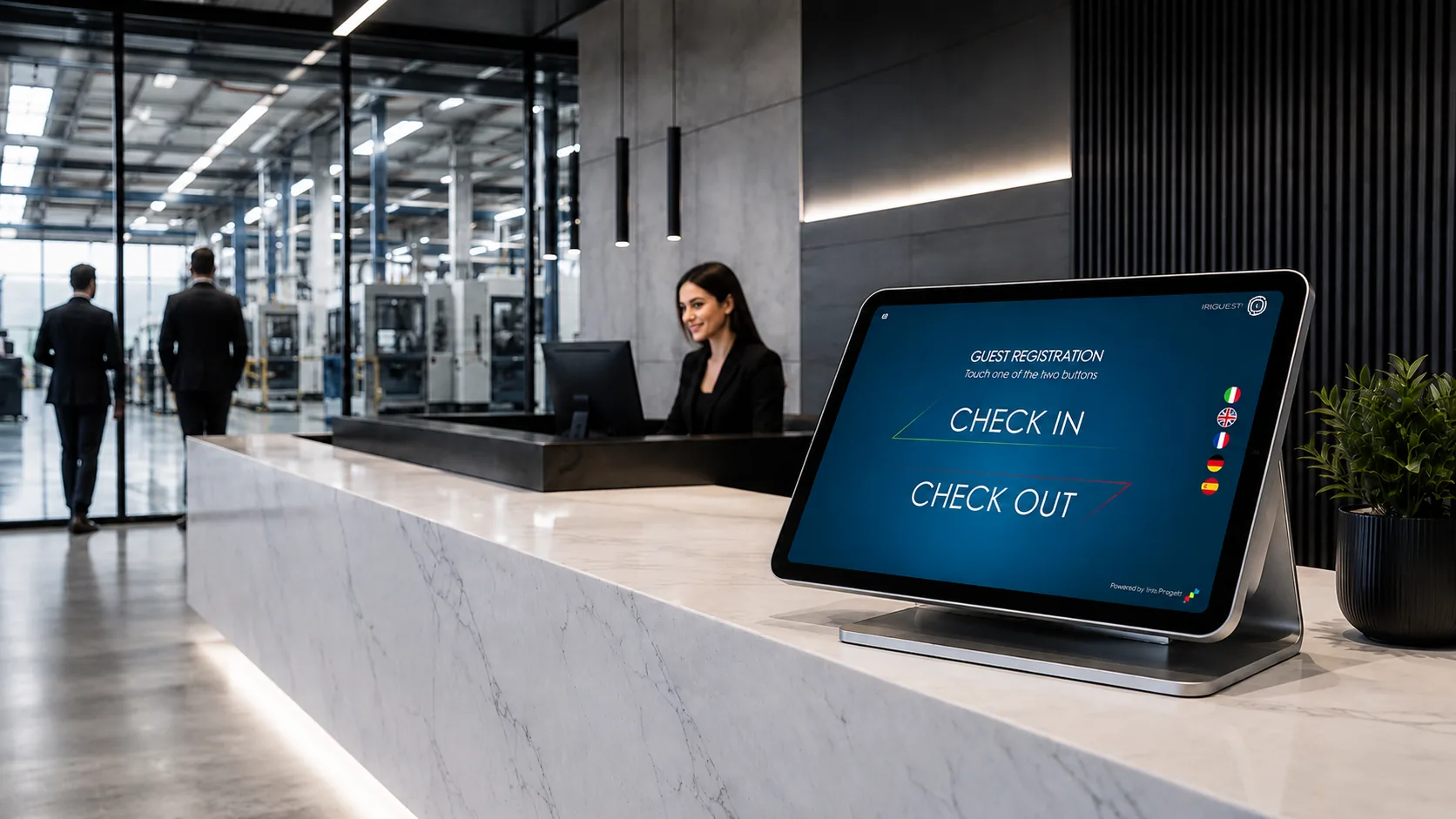
In many offices the visitor log is an afterthought: a book on the counter, sometimes not even that. Until something goes wrong. A client reads the names of the people who came before them, a fire drill ends with nobody able to say how many visitors were inside, a candidate is left waiting because no one knew they were coming.
This guide is written for offices, head offices, professional practices and offices in shared buildings: places where visitors are mostly clients, candidates, consultants and service providers, and where reception is part-time or missing altogether. If you also run production areas or a warehouse, the specific advice is in our guide to visitor management in factories and plants.
You will find who walks through an office door on a typical day, how an office differs from a professional practice and a factory, the visitor journey in six steps, what to do without a receptionist, how to protect confidentiality, shared buildings and coworking, evacuation, choosing the software and a final checklist.
Before writing any rules, look at who actually comes through the door. In an office of a few dozen people, a typical day looks something like this: different visitors, with different needs, who should not all be handled the same way.
CourierAt the desk
Drops off a parcel and leaves without entering the office. The courier’s proof of delivery usually covers it: adding them to the visitor log is a choice, not a necessity.
Interview candidateSign in
Arrives early and waits. They should sign in, be greeted by name on behalf of the interviewer and wait somewhere with no papers or screens on view.
Client for a meetingSign in + badge
Signs in, their host is told they have arrived and walks them to the meeting room. A badge lets colleagues see at a glance who is a visitor.
IT engineer or maintenanceEscorted
Needs the server room, the plant room or the desks themselves: sign-in, a named host and an escort in sensitive areas. Firms doing work on your premises follow your contractor sign-in rules.
Lunch deliveryAt the desk
Same as the courier: hands over at reception or the front door. If they go up to the office floors, though, they are a visitor like any other.
Consultant or auditorSign in + badge
Stays all afternoon, moves between offices and usually asks for the guest Wi-Fi. Sign-in, a badge and a recorded sign-out at the end of the day.
Closing timeCheck open visits
Who is still shown as inside? Visits with no sign-out are the first end-of-day check: a visitor who left without signing out, or someone still in a meeting room.
The rule that emerges is simple: sign in anyone who enters the working areas, not everyone who stops at the door. The rest, badge and escort, depends on where the visitor needs to go.
The basic rules are the same everywhere, but the emphasis shifts a lot from one workplace to another. These are the differences that really matter when you organise how visitors are received.
| Aspect | Office and head office | Professional practice | Factory or plant |
|---|---|---|---|
| Typical visitors | Clients, candidates, consultants, service providers | Clients, the other side’s representatives, expert advisers | Drivers, maintenance staff, contractors, auditors |
| Main risk | Data and documents seen by outsiders, unescorted visitors among the desks | Clients meeting each other or reading each other’s names | Injuries, hazardous areas, goods |
| Reception | Often part-time, shared or absent | A secretary who also does other work | Gatehouse or security, sometimes on shifts |
| Priority | Welcome, image, knowing who is on site | Discretion | Health and safety, tracking every entrance |
| Typical set-up | A tablet at the entrance and a message to the host | A sign-in that never shows other people’s names | Several entrances, badges, safety rules to accept |
If you work in a professional practice, the row that matters is the second one: discretion. What to do about it in practice is covered further down, in the section on confidentiality.
A good welcome in an office rests on six moments. None of them needs special equipment: it is enough that everyone knows what to do.
Whoever is expecting a visitor says so beforehand: name, time, room. With the Cloud version, an invitation with a QR code lets the visitor arrive almost signed in already.
On arrival the visitor enters their name, company and the person they are seeing, reads the privacy notice and signs on the screen. A few moments, in their own language.
The host is told their visitor has arrived, so nobody is left standing at an empty desk wondering whom to call. With the Cloud version the notification goes out automatically.
In an open-plan office it helps people tell visitors from colleagues at a glance. In a small practice where everyone knows everyone, you can do without.
From reception to the meeting room and back. Where there are confidential files, server rooms or archives, the visitor does not wander about alone.
The visitor signs out with the code received at sign-in, or with their first and last name. Without sign-outs, the list of who is on site cannot be trusted.
The step most often missing is the last one. Without the sign-out, the log tells you who came in, not who is still here. If you want roles and rules in writing, our guide to writing a visitor management policy offers a 10-point outline.
Hybrid working, shorter hours, a receptionist who also handles the accounts: in many offices the front desk is empty for much of the day. It is the most common situation in SMEs, and the one where a paper visitor book works worst: nobody checks that it is filled in, and nobody knows who has arrived.
The simplest answer is self-service reception: a tablet at the entrance where visitors sign themselves in, with a clear sign next to it. If the system tells the host, the visitor does not have to go looking for anyone: the colleague comes down to collect them.
How to lock the tablet to the app, which stand to choose and where to put it: the self-service reception guide has a section on each of these choices.
In an office the most realistic risk is not theft: it is information landing in front of the wrong eyes. And the visitor log itself can be the first weak spot.
An open paper log shows every new arrival the names, companies and times of everyone who came before. For a law firm or a consultancy, that means revealing who the clients are.
With a digital visitor log, people signing in see only their own details, and people leaving type their own code or name without scrolling through a list of other visitors.
Case files on desks, whiteboards with client data, monitors facing the corridor: the visitor’s route should not pass them. A clear-desk policy costs next to nothing.
Two clients of the same practice bumping into each other in the waiting room: in some sectors that is already a problem. Where you can, space out appointments and use separate waiting areas.
Whoever collects personal data must tell visitors how it is used (art. 13 GDPR). On the tablet the privacy notice appears before sign-in and the visitor signs on screen to confirm they have read it.
A visitor log is not kept for ever: you set a period that fits its purpose, then delete. Periods and criteria are in our guide on how long to keep a visitor log.
For the full picture, from lawful basis to privacy notice and data security, see our page on the GDPR-friendly visitor log.
Many offices have no front door of their own: they sit in a multi-tenant building with a shared front desk, in a business centre or in a coworking space. Here the key is to agree who records what, so you avoid duplicates or, worse, gaps.
| Situation | Who signs visitors in | Our advice |
|---|---|---|
| Building with a shared front desk or concierge | The front desk, at the building entrance | Record entry to your own office anyway: the building desk does not know who is hosting the visitor or when the visit ends |
| Business centre or serviced offices | Sometimes the operator, at the main entrance | Ask what they record and for how long: your visitors’ data also ends up in their log |
| Coworking space | The operator signs in members’ visitors | For confidential meetings, book a closed room and meet your visitor at the entrance yourself |
| Several companies at one address | Often a single reception for all of them | One shared log with the company being visited as a field, and clear rules on who may see the data |
With several tablets in different places, for example at the building entrance and on your floor, or at two sites, it makes sense for the data to flow into a single history that can be checked from one place.
Offices need an emergency plan too. Under the EU Framework Directive 89/391/EEC (art. 8), employers must organise first aid, fire-fighting and evacuation, taking account of other people present; in England and Wales, the Fire Safety Order 2005 protects everyone lawfully on the premises and requires emergency procedures (art. 15). Visitors are exactly those other people: they do not know where the exits are and have never taken part in a drill.
At the assembly point the question is always the same: is anyone missing? For staff, the person coordinating the evacuation answers it; for visitors, the log does, but only if every visit has a sign-out time. The open visits are the list of who is still inside.
A practical tip: in the notice visitors accept when they sign in, you can add a couple of lines on what to do if the alarm sounds, for example “follow the person you are with to the assembly point”.
An office rarely needs a heavyweight system built for a multinational. It needs something that works from day one, that visitors use without explanations and that creates no privacy headaches. These are the questions to ask before you choose.
| Criterion | What to ask | Why it matters in an office |
|---|---|---|
| Simplicity | Can a visitor sign in alone in a couple of minutes? | Nobody has time to explain, and often there is nobody at the desk |
| Confidentiality | Can a visitor see other people’s details? | It is the first requirement for practices and offices that receive clients |
| Languages | How many languages does it offer? | Clients and consultants from abroad are common even in SMEs |
| Privacy notice and signature | Does it show the notice and consents, and take an on-screen signature? | It records that the visitor has read them, without paper forms |
| Host notification | Is the colleague told when their visitor arrives? | No more waiting at an empty desk |
| Several entrances or sites | Does data from several tablets flow into one history? | Needed with several floors, entrances or offices |
| Cost and trial | Can you try it for free? Is the price clear? | A small office should not need a project just to get started |
For a broader comparison, see the 10 essential features of visitor management software and our guide on how much visitor management software costs.
Ten points to check that visitor management in your office is efficient, secure and respectful of privacy.
If you ticked every box, your reception is already better organised than many large companies’. If three or more are missing, the first step is nearly always the same: replace the paper template on the counter with a digital visitor log.
IRIGuest is a digital visitor log for iPad and Android tablets, designed for the front desks of SMEs, offices and professional practices. The visitor taps Check In or Check Out and picks one of five languages (English, Italian, French, German, Spanish), fills in the fields you chose, reads the privacy notice and signs on the screen. Logo, colours, texts and questions are all customisable, and people signing in never see anyone else’s details.

Automatic notification to the host, pre-registration with a QR code, sign-in from a business card with AI, one centralised history across tablets and sites, and the list of who is on site from another device. From €50/month + VAT, or €540/year + VAT with the annual plan.
What it does not do: IRIGuest does not print badges from the tablet (badges with a QR code are prepared in advance with the free badge generator), does not photograph visitors, does not check ID documents and does not open doors or turnstiles by itself. Want to see it in action? You can try it online in a minute, in your browser.
Official sources, checked as at October 2026. For information only, not legal advice.
Generally not: no law requires every office to keep a visitor log. It is very useful for evacuations, security and traceability, though, and clients, insurers or certification bodies sometimes ask for one. Cases and sectors are explained in our guide to visitor log legal requirements.
Yes, if it receives clients and outside consultants: it helps in an emergency and shows care. In a practice, though, how you keep it matters most: no open sheets showing other clients’ names. For a single entrance, a tablet with a free app is enough.
With a tablet at the entrance where visitors sign themselves in, a sign explaining what to do and a way to let the host know. With the Cloud version of IRIGuest the notification goes out automatically; with the free version the visitor still signs in, and the colleague has to be told separately.
If they hand over at the door and leave, usually not: the delivery is already recorded on the proof of delivery. If they go up to the office floors or enter the working areas, they are visitors like anyone else and should sign in.
With an open paper log, yes, and in an office that is one of its most serious weaknesses. With a digital visitor log such as IRIGuest, no: people signing in see only their own details, and on leaving they type the code they received or their own name, with no list of other people.
Usually the coworking operator signs in members’ visitors at the entrance. If you have a private office or often meet clients, you can also keep your own log at the entrance to your space: two logs with different purposes can coexist, each with its own privacy notice.
It depends on size. In an open-plan office or on several floors it helps colleagues recognise visitors and notice anyone unescorted. In a small office where everyone knows everyone, you can do without. What to put on it and which formats work are covered in our guide to the visitor badge.
One that visitors use on their own without explanations, that never shows other people’s data, that works in several languages with a privacy notice and on-screen signature, and that you can try for free. IRIGuest has a free offline version for one entrance with one tablet, which also suits a small school office, and a Cloud version for several entrances, floors or sites.
Try a visitor sign-in on IRIGuest online, or tell us how your office is organised and we will suggest the right set-up.